

Manual Testing vs Automation Testing: When to Use Which
Should you test manually or automate it? The honest answer: it depends on what you’re testing, not which method sounds more modern.
Manual testing wins for exploratory, usability, and one-off checks. Automation testing wins for repetitive, high-volume, regression-heavy work. Most mature QA teams use both — the skill is knowing where to draw the line.
Key Takeaways
- Manual testing is best for usability, exploratory, and early-stage feature testing.
- Automation testing pays off for repetitive regression suites and high-frequency releases.
- Automation has a real breakeven point — a test typically needs 5–15 runs before scripting it pays for itself.
- New features need human eyes first; automate once the feature stabilizes.
- Manual and automation roles need different skill sets — don’t force one person to do both indefinitely.
- A hybrid approach, guided by a solid quality assurance strategy, consistently outperforms an all-or-nothing bet on either method.
Why This Question Keeps Coming Up
Every engineering lead eventually asks the same thing: are we wasting money on manual testers, or are we automating things that don’t need it? Get this wrong in either direction and it shows up fast — in missed bugs, blown budgets, or a QA team spending more time maintaining scripts than actually testing.
The pressure to automate everything is real. Vendors sell automation as a silver bullet. But automation is a tool, not a philosophy. Used on the wrong tests, it slows teams down and inflates maintenance costs.
Used on the right tests, it’s one of the highest-ROI investments in software delivery. This guide breaks down where each method belongs, so you stop guessing and start deciding based on evidence.
What Manual Testing Actually Does Well
Manual testing means a human executes test cases, observes behavior, and judges results using context a script can’t replicate. This matters most in agile environments, where features change fast and rigid scripts break constantly — which is why quality assurance in agile software development leans so heavily on adaptable, human-led testing during active development.
Manual testing shines here:
- Exploratory testing. Testers poke at the product without a script, hunting for edge cases nobody anticipated.
- Usability testing. Automation can’t tell you if a checkout flow feels confusing. A person can.
- New feature validation. Features change fast early on. Scripting them too soon means constant rewrites.
- Ad hoc and one-time tests. If you’ll run a test once, automating it costs more time than it saves.
- Visual and UX checks. Pixel-comparison tools flag differences, not whether those differences actually matter.
The Real Cost of Skipping Manual Testing
Teams that automate too early often ship functionally correct software that users still hate. A checkout button can pass every automated assertion and still sit in a confusing spot on the page. That’s a manual-testing gap, not an automation-coverage gap — and no amount of extra scripting fixes it.
What Automation Testing Actually Does Well
Automated testing runs pre-written scripts against your application, comparing actual results to expected ones — fast, repeatedly, without fatigue.
Automation earns its cost here:
- Regression testing. Re-verifying the same 200 checks manually every sprint is exactly what automation was built for.
- Cross-browser and cross-device checks. One suite can cover 15 browser/OS combinations in the time a manual tester finishes one.
- Load and performance testing. There’s no manual equivalent to a spike test hitting your servers with 10,000 simultaneous requests.
- Data-driven testing. Running the same logic against hundreds of input variations is trivial for a script, tedious for a person.
- CI/CD pipelines. Automated tests gate every build, catching regressions before they reach staging — the backbone of the benefits of continuous integration and continuous deployment more broadly, since neither practice works reliably without automated test gates.
Where Automation Backfires
Automation isn’t free. Every script needs writing, reviewing, and maintaining. When your UI changes weekly, your suite becomes a full-time babysitting job — updating locators, rewriting assertions, chasing flaky tests.
Industry best practice, echoed in the ISTQB testing framework, is clear: automate for stability and volume, not novelty. A test that changes as often as the feature it covers is rarely worth automating yet.
The Cost Math Nobody Talks About
Manual testing has low upfront cost but scales linearly — run it 50 times, pay for it 50 times. Automation flips that: high upfront cost to script and validate, then a marginal cost per run close to zero.
Put numbers on it and the decision gets easier to defend to stakeholders. Say a manual test cycle for one flow takes 30 minutes per run. Scripting it might take 4 hours upfront, plus roughly 15 minutes of maintenance per release. At 30 minutes manual per run, you’d spend 8 hours reaching the same 16 runs it takes to break even on the 4-hour script. Every run after that, the script is pure savings — while the manual cost keeps climbing forever. That’s the entire argument for automation in one calculation, and exactly why automating a test that’ll only run twice is a net loss no matter how satisfying it feels to script it.
The Decision Framework: 5 Questions to Ask
- Will this test run 5–15+ times before the feature changes again? If not, manual is usually cheaper.
- Is the feature stable? Unstable UI = manual first, automate later.
- Does it require human judgment? Usability and aesthetic calls stay manual.
- Is it high-risk and repetitive? Payment flows, login, core journeys strong automation candidates.
- What’s your release frequency? Weekly releases justify heavier automation; quarterly ones often don’t.
Teams that run this honestly usually land around 60–70% automation for mature products, closer to 20–30% for early-stage ones.
A Practical Example: Shipping a Checkout Flow
In week one, testers explore a new checkout flow manually — odd payment combinations, error states, whether the flow feels smooth end to end. Nothing gets automated yet; the UI is still shifting daily as design feedback comes in.
By week three, the core flow stabilizes on a happy path, major error states, primary payment methods stop changing. That’s the signal to script it. The team automates the regression-critical paths first: successful checkout, declined card, expired session, duplicate submission.
Manual testers move on to the next unstable feature, while a smaller group keeps running exploratory passes on checkout before major releases edge cases like currency formatting or promo-code stacking still benefit from human judgment more than scripted assertions. That’s the hybrid model in practice.
A Practical Split: The Testing Pyramid
- Unit tests (automated): Fastest, cheapest, catch bugs at the code level before they reach a UI.
- Integration/API tests (automated): Often where the costliest production bugs originate.
- UI regression tests (automated, selectively): Core flows only — the most brittle layer to maintain.
- Exploratory/usability tests (manual): Applied on top, especially before major releases.
This structure keeps automation lean and pairs naturally with QA staff augmentation for enterprises looking to scale testing without growing a full-time team — specialists can slot into whichever layer of the pyramid is thinnest.
Tooling matters too, but only after strategy is set. Selenium remains common for legacy browser automation, Playwright and Cypress are now standard for modern web apps, and Appium covers mobile. None of these tools decide your strategy they only execute whatever strategy you’ve already defined.
Migrating From Manual to Automated as You Scale
The shift from manual-heavy to automation-heavy testing rarely happens all at once it follows the product’s own maturity curve. Early on, manual carries most of the weight because there isn’t enough stability to justify scripting. As the product stabilizes, automation coverage should expand deliberately, starting with the highest-risk, most repetitive flows first. Teams that try to automate an entire regression suite in one push, instead of migrating gradually, tend to end up with brittle suites nobody trusts.
Different Skills, Different People
A strong manual tester needs domain knowledge, curiosity, and the patience to think like a confused first-time user. A strong automation engineer often titled an SDET needs programming ability and the discipline to maintain code nobody notices until it breaks.
Asking one person to do both well, at scale, usually produces mediocre results in both. Team composition mistakes run both ways: hiring automation engineers before there’s a stable app to automate, or over-hiring manual testers and hitting a wall when release frequency increases.
Metrics That Prove Your Testing Strategy Is Working
Defect escape rate — the percentage of bugs that reach production instead of being caught pre-release is one of the clearest signals: a rising escape rate usually means coverage gaps, not bad luck.
Mean time to detect / resolve tells you how quickly your pipeline surfaces and fixes problems.
Automation ROI is worth tracking directly hours saved on repeat cycles against ongoing maintenance cost rather than assuming automation is paying off just because it exists.
Common Mistakes Teams Make
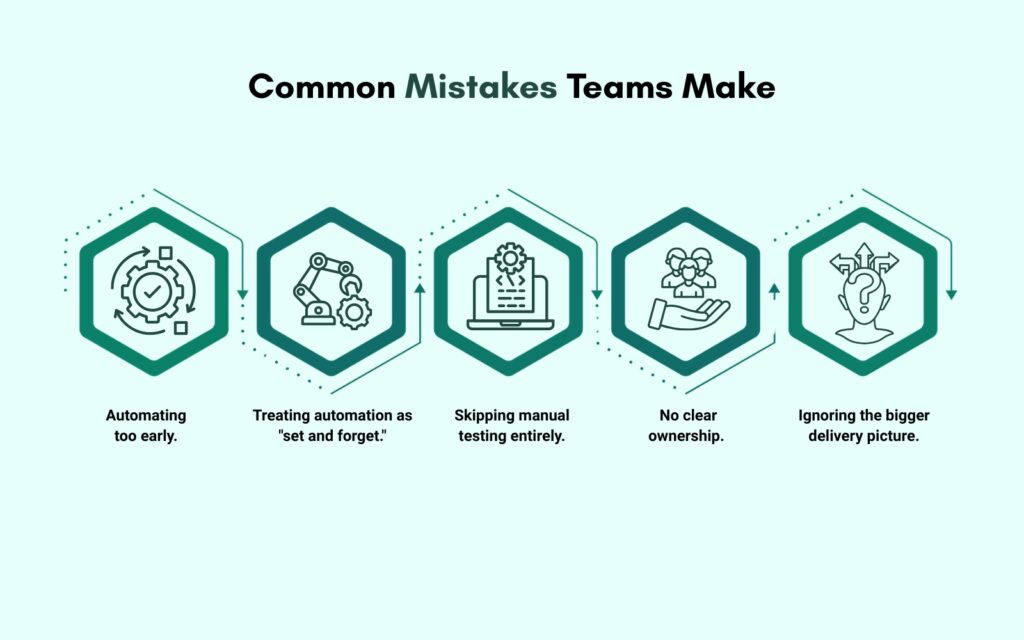
Mistake 1: Automating too early. Locking in scripts before a feature stabilizes means rewriting them every sprint.
Mistake 2: Treating automation as “set and forget.” A neglected suite full of flaky, failing tests trains teams to ignore failures.
Mistake 3: Skipping manual testing entirely. 100% automation misses the subjective, human-experience layer of quality.
Mistake 4: No clear ownership. Automation needs an owner who maintains it as the product evolves, or it decays fast.
Mistake 5: Ignoring the bigger delivery picture. Testing bolted on at the end, instead of built into the seven phases of SDLC, catches far less than quality gates built in from the start.
Building Trust Through Testing
Quality isn’t just an engineering concern — it’s a business one. Buggy releases erode user trust and increase support costs. A thoughtful testing strategy, blending manual judgment with automated consistency, is a competitive advantage.
Companies investing in structured QA consistently report fewer production incidents and faster release cycles — because the strategy matches the product’s actual risk profile instead of a one-size-fits-all approach.
So, Which Should You Use?
- New, unstable, subjective → manual.
- Stable, repetitive, high-volume → automated.
- Everything in between → a judgment call, revisited every few sprints as the product matures.
Teams that treat this as ongoing calibration not a one-time decision build QA processes that scale with the product instead of fighting it.
FAQs
Not for one-off or exploratory tests. Automation only pays off once a test runs repeatedly across many releases.
No. Automation can’t judge usability, visual design, or unexpected user behavior — that still needs human insight.
It depends on release frequency and product maturity — typically 60–70% for mature products, less for early-stage ones.
Once the feature’s UI and logic stabilize. Automating too early means constant script rewrites.
Neglected, flaky suites that teams start ignoring — which defeats the entire purpose of automation.