

Introduction: Why Enterprises Are Searching for SharePoint Use Cases
Enterprises today face growing pressure to work faster, stay compliant, and reduce operational complexity. As a result, organizations are no longer asking what SharePoint is—they are actively searching for sharepoint use cases that demonstrate real, measurable business value.
Digital leaders want practical answers:
- How enterprises use SharePoint beyond file storage
- Which SharePoint business use cases deliver productivity gains
- What real SharePoint examples for businesses look like at scale
Based on more than a decade of enterprise digital workplace delivery, one insight consistently holds true: SharePoint succeeds when it is applied intentionally to real business problems, not deployed as a generic collaboration tool.
This article explores 10 real-world SharePoint use cases that help enterprises work smarter in 2026 and beyond.
What Are the Most Valuable SharePoint Use Cases for Enterprises?
SharePoint use cases for enterprises include document management, intranet communication, workflow automation, onboarding portals, compliance management, project collaboration, and AI-powered knowledge discovery.
Enterprises use SharePoint to centralize information, automate business processes, integrate systems, and improve productivity at scale.
Top 10 SharePoint Use Cases for Enterprises
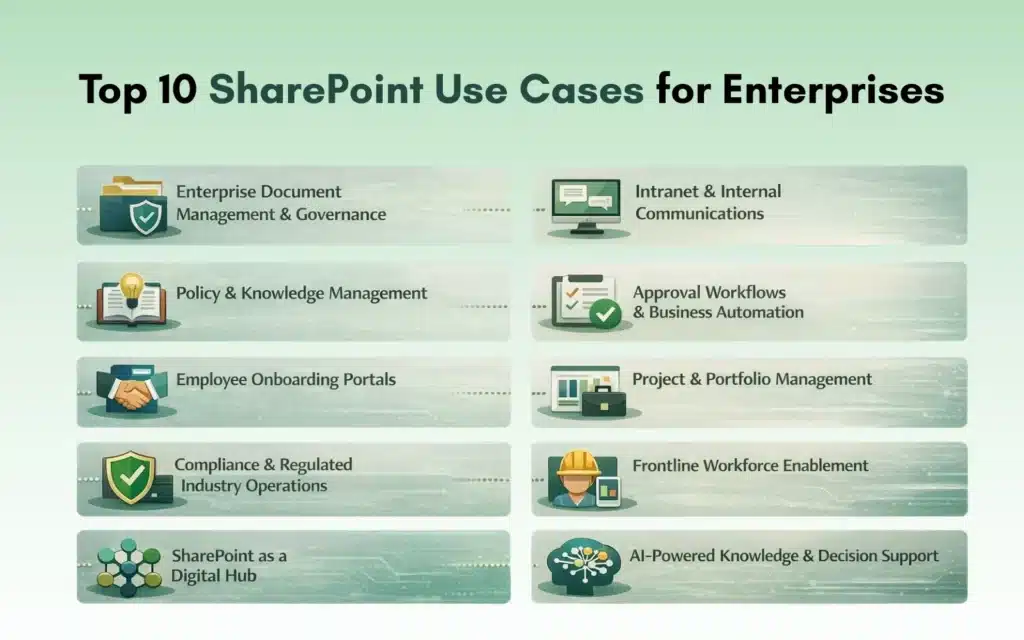
- Enterprise document management and governance
- Intranet and internal communications
- Policy and knowledge management
- Approval workflows and business automation
- Employee onboarding portals
- Project and portfolio management
- Compliance and regulated industry operations
- Frontline workforce enablement
- SharePoint as a digital hub
- AI-powered knowledge and decision support
How Enterprises Use SharePoint in 2026
SharePoint remains a core enterprise platform because it combines content management, collaboration, automation, security, and integration within the Microsoft 365 ecosystem.
Unlike small teams that use SharePoint for basic file sharing, large organizations rely on sharepoint enterprise use cases to standardize processes, enforce governance, and enable digital transformation at scale.
Use Case #1: Enterprise Document Management & Governance
One of the most common sharepoint use cases is enterprise document management. At scale, unmanaged content becomes a compliance and operational risk.
Enterprises use SharePoint to enable:
- Version control and audit history
- Metadata-driven document classification
- Retention and legal hold policies
- Secure, role-based access
Why enterprises use SharePoint for document management:
SharePoint provides enterprise-grade governance while remaining easy for business users to adopt, making it a foundational sharepoint business use case.
Use Case #2: Intranet and Internal Communications
Modern enterprises struggle with fragmented communication across tools and teams. SharePoint intranets provide a centralized, targeted communication platform.
Common intranet capabilities include:
- Role- and department-based news targeting
- Leadership announcements
- Policy updates and alerts
- Enterprise search
This is one of the most visible SharePoint examples for businesses, particularly for global or hybrid workforces.
Use Case #3: Policy and Knowledge Management
Enterprises generate vast amounts of institutional knowledge, yet much of it becomes difficult to find or reuse.
SharePoint supports knowledge management by offering:
- Centralized SOP and policy libraries
- Metadata-based navigation
- Search-driven answers
- AI-assisted content discovery
Organizations that treat knowledge management as a core sharepoint enterprise use case consistently report faster onboarding and fewer operational errors.
Use Case #4: Approval Workflows and Business Automation
Manual approvals via email create delays, errors, and audit gaps. One of the highest-ROI sharepoint use cases is workflow automation.
Enterprises automate:
- HR approvals
- Finance sign-offs
- Legal reviews
- Procurement requests
Why enterprises use SharePoint for workflows:
Integrated automation improves speed, accuracy, and auditability—key outcomes for scalable sharepoint business use cases.
Use Case #5: Employee Onboarding Portals
Employee onboarding often spans multiple systems and disconnected resources. SharePoint simplifies onboarding by acting as a centralized portal.
Typical onboarding portals include:
- Role-based onboarding checklists
- Policy acknowledgments
- Training links
- Team and department resources
Among real-world SharePoint examples for businesses, onboarding portals consistently deliver strong adoption and employee satisfaction.
Use Case #6: Project and Portfolio Management
SharePoint is frequently used as a project information backbone rather than a standalone project management tool.
Enterprises use SharePoint to:
- Centralize project documentation
- Track risks, decisions, and milestones
- Integrate with Planner and Power BI
- Standardize project templates
This demonstrates how enterprises use SharePoint to bring structure and visibility without heavy customization, though choosing between SharePoint OOTB vs Custom capabilities becomes critical as project complexity grows.
Use Case #7: Compliance and Regulated Industry Operations
In regulated industries such as healthcare, finance, and manufacturing, compliance is a top priority.
SharePoint supports regulated environments by enabling:
- Secure access controls
- Detailed audit trails
- Retention labels and information governance
- Policy enforcement
These sharepoint enterprise use cases help organizations reduce compliance risk while maintaining operational efficiency.
Use Case #8: Frontline and Operations Enablement
Frontline workers often lack easy access to accurate, up-to-date information. SharePoint helps bridge this gap.
Common frontline scenarios include:
- Mobile-friendly access to procedures
- Incident and safety reporting
- Shift handover documentation
- Operational announcements
This expands sharepoint business use cases beyond traditional office environments.
Use Case #9: SharePoint as a Digital Hub
One of the most advanced sharepoint use cases is positioning SharePoint as a digital hub that connects enterprise systems.
This includes:
- ERP and CRM integrations
- Unified dashboards
- Microsoft Graph API connections
- Centralized employee experiences
This approach reduces context switching and improves decision-making across the organization.
Use Case #10: AI-Powered Knowledge and Decision Support
With Microsoft Copilot, SharePoint is evolving into an intelligent assistant platform.
AI-enabled SharePoint supports:
- Content summarization
- Context-aware search
- Role-specific insights
- Decision support
Experience shows AI delivers value only when paired with strong information architecture, making governance essential in advanced sharepoint enterprise use cases.
Common Mistakes Enterprises Make with SharePoint Use Cases
Despite its flexibility, SharePoint often underperforms due to:
- Treating it as simple file storage
- Over-customization without governance
- Poor adoption and training
- Unclear use case definition
How Do Enterprises Use SharePoint in Practice?
Enterprises use SharePoint as a centralized digital workplace where teams collaborate on documents, automate approvals, manage knowledge, and integrate business systems. Unlike small teams, enterprises prioritize governance, security, scalability, and long-term sustainability.
Conclusion: Turning SharePoint Use Cases into Business Value
SharePoint’s true value is not in its features—but in how it is applied.
Enterprises that succeed with sharepoint use cases:
- Focus on real business problems
- Prioritize high-impact SharePoint business use cases
- Govern and evolve their platform continuously
Whether you’re evaluating how enterprises use SharePoint or exploring real SharePoint examples for businesses, intentional design and governance are what transform SharePoint into a strategic enterprise asset.
Frequently Asked Questions About SharePoint Use Cases
The most common SharePoint use cases include document management, intranets, workflow automation, onboarding portals, project collaboration, and knowledge management.
Yes. SharePoint is widely used by large enterprises because it offers scalability, security, compliance features, and deep integration with Microsoft 365.
Enterprises use SharePoint to automate business processes, integrate enterprise systems, enable AI-powered insights, and act as a digital workplace hub.
Highly regulated industries such as healthcare, finance, manufacturing, and government benefit significantly due to SharePoint’s compliance and governance capabilities.
Yes. When properly governed, SharePoint enables AI-powered search, summarization, and decision support through Microsoft Copilot.
Enterprises should prioritize use cases based on business impact, process maturity, compliance risk, and integration needs.